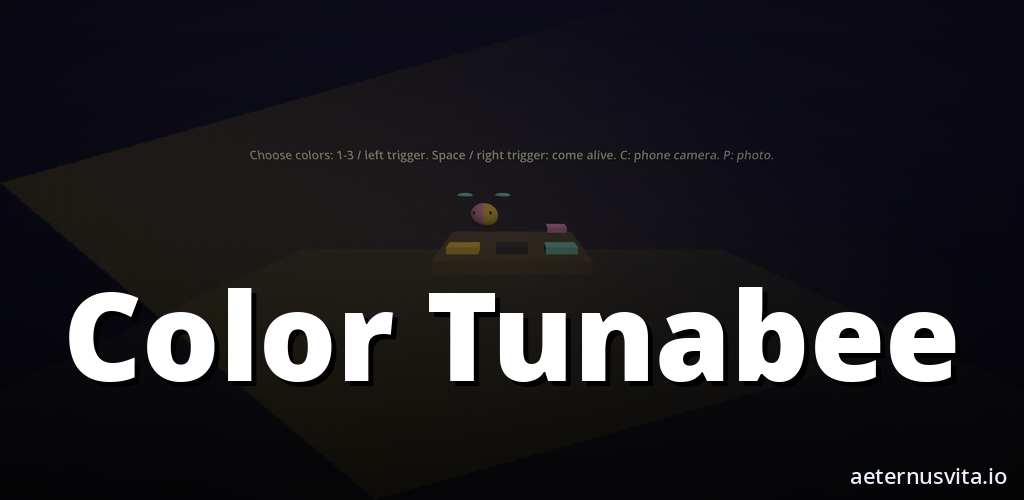
2026-10-25 · 6 min read
Color Tunabee: Colour a Page and Watch Your Colours Walk the Room
How Color Tunabee turns a hand-coloured page into a character that walks your room in those colours.
By AeternusVita
“How Color Tunabee turns a hand-coloured page into a character that walks your room in those colours.”
Color Tunabee starts with paper and pencils. You colour a printed page by hand, and the colours you chose become the texture of a character that walks around your room.
This post explains what Color Tunabee is, how the two ways to use it work, and who it suits. It is coming soon on aeternusvita.io. You can get notified from the product page when it is ready.
What Color Tunabee is
Color Tunabee links colouring on paper with a character in your room. The Play listing states the pitch in one line: "Colour a page and your colours become a character walking in the room." The subtitle shortens it to "Colour it, watch it walk."
The en-GB long description sets out the premise:
"Color Tunabee starts with a printed page. You colour it by hand. On a phone, you show the page to the camera and the app reads your colouring. In a VR headset with mixed reality, you choose colours from a preset palette. Those colours become the character's texture."
The page is the starting point. Your colouring is the texture. The app shows you that texture on a character that walks where you are.
The same description continues:
"The character walks around your room. A short animation plays, and a photo moment lets you keep a picture of it there. Eight colouring pages are included. Each page brings its own character."
Color Tunabee is made by aeternusvita.io. As the listing closes: "Colour the page, then watch that character walk the room in the colours you chose." It runs on a phone, and in mixed reality on a VR headset.
Nothing has been submitted to a store yet. The status is coming soon, nothing more. There is no release date, price, rating or review to quote because none exists.
How a session works: colour first
Every session starts away from the screen.
You print a page and colour it with pencils, felt tips or crayons. The app uses the colours on the page as the character's texture, so the choices you make on paper are what you see when the character appears.
You do this with your child, and you stay for the session. The listing is clear: "You use Color Tunabee with a child aged 10 or over, and a parent stays for the session." If you are the parent, this post is written for you. You handle the printing, set out the colours, and do the camera or headset step together.
The colouring itself is ordinary paper colouring. The change is the next step. Once the page is coloured, you bring it to the app.
Each page goes with its own character. Colour a different page and you get a different character wearing the new colours. There are eight pages in total.
On a phone: the camera reads your page
On a phone, you show the coloured page to the camera.
The listing says: "On a phone, you show the page to the camera and the app reads your colouring."
The flow is: colour the page, hold it where the camera can see it, and the app reads the colours. Those colours become the character's texture. You do not pick from a menu on the phone. The phone reads the real page.
Your child chooses red for one area or blue for another, and the character shows those choices. Colour the same page again and the next view shows the new texture.
The listing states: "The app collects no data." On the phone the reading happens locally to map the colours to the character.
After the read, the character walks around your room. The listing describes it as: "The character walks around your room. A short animation plays, and a photo moment lets you keep a picture of it there."
A printed page, colouring supplies and a phone are enough.
In a VR headset: choose from a preset palette
In a VR headset with mixed reality, the input is different.
The listing says: "In a VR headset with mixed reality, you choose colours from a preset palette. Those colours become the character's texture."
On Quest you do not show the paper page to the headset camera. The headset route uses a palette. You pick colours from the preset palette in the headset.
The outcome is the same — your colours on the character — but the method matches the device. Phone: the camera reads the page. Headset: you choose from the preset palette.
The same short animation plays, and the same photo moment lets you keep a picture of it there.
The brief lists the supported platforms as Meta Quest, Android XR and Web. The product page will list the exact requirements when it moves from coming soon.
What happens next: the walk and the photo
The moment after the colours are set is the same on both routes.
The feature list states it plainly:
- "Your colours become the character's texture"
- "The character walks the room, then a photo"
First the colours you chose appear on the character. Then the character walks around your room. A short animation plays. Then you get a photo moment that lets you keep a picture of the character there.
The animation is short by design. The point is the texture you created and the walk in your room, plus a picture you can keep from the photo moment. The listing keeps this simple: "The character walks around your room. A short animation plays, and a photo moment lets you keep a picture of it there."
You can repeat it with another page. Each of the eight pages brings its own character, so a new page means a new shape wearing whatever colours you put down this time. The listing is the guide: eight printed colouring pages, the phone camera reading the page, the preset palette in the headset, your colours becoming the character's texture, the walk, then the photo.
Who it suits
Color Tunabee is for a parent and a child aged 10 or over, doing the session together. The brief notes families with kids, with play parent-supervised and store age ratings following platform rules, and Quest titles targeting 10+ with co-play messaging.
If you are the parent, it suits you if you want a quiet paper activity with a clear next step. The colouring is the main time spent. The walk and the photo are the short payoff that shows the choices your child just made, back in the room.
It suits you if you want something without accounts or data collection. The listing says: "The app collects no data. It runs on a phone, and in mixed reality on a VR headset."
It suits you if you want a repeated activity. Eight pages means eight characters to try. Colour a page one way and see the character, then colour it differently to compare, or move to the next page.
It also suits you if you want to talk about colour while you do it. The brief lists the general learning goal as colour recognition, fine motor and creativity — areas that paper colouring practises, with no results claimed for this app.
Coming soon on aeternusvita.io
Color Tunabee is coming soon. You can find it on aeternusvita.io as coming soon at Color Tunabee. If you want to hear when it is ready, open the product page and use the notify option there.
There is no release date to count down to, no price to quote, and no ratings or reviews because nothing has been submitted or released. The brief confirms: release date not decided, ratings and reviews none, and price not final. When the page moves from coming soon, the listing on the product page will set out the final requirements and platforms.
Until then, the short version from the listing is worth keeping: "Color Tunabee is made by aeternusvita.io. Colour the page, then watch that character walk the room in the colours you chose."
Related articles
2026-10-25 · 7 min read
Bot Garrison: How Tabletop Tower Defence Works on a Painted Table
What Bot Garrison is and how its tabletop tower defence, crafting and creature evolution work.
Read article →2026-10-25 · 7 min read
Color Tunabee Live: Colour a Sheet, Scan It on iPhone and Watch Your Fish Swim
How Color Tunabee Live turns a coloured Tunabee sheet into a swimming 3D fish on iPhone and in AR.
Read article →2026-10-25 · 7 min read
Dead Biomes: how a VR wave shooter works across five shelters
How Dead Biomes works — choose a shelter, scavenge and fortify, fight the wave, then open story with a minigame.
Read article →