2026-10-25 · 6 min read
MoveFree XR: How the Five, Ten and Fifteen-Minute Headset Sessions Work
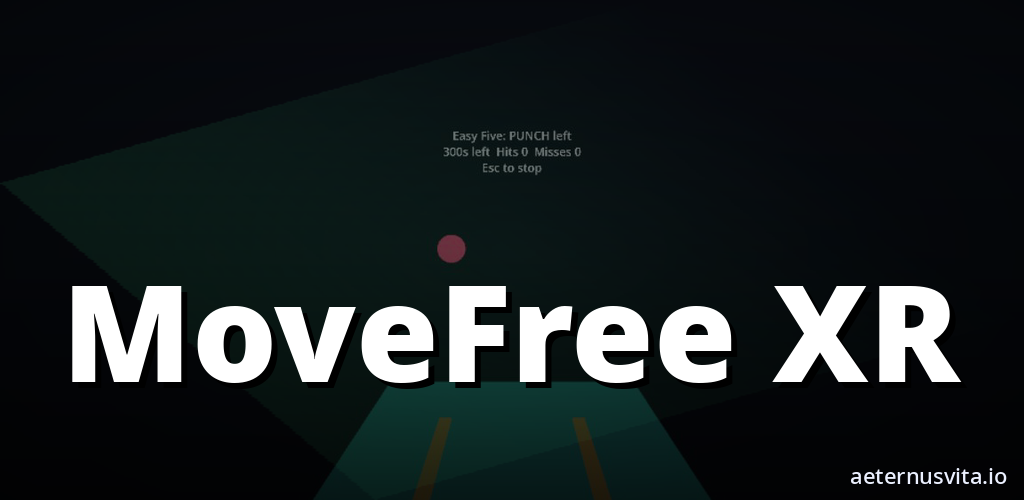
MoveFree XR is a headset fitness session you play hands-free in mixed reality or VR, in five, ten or fifteen minutes.
By AeternusVita
“MoveFree XR is a headset fitness session you play hands-free in mixed reality or VR, in five, ten or fifteen minutes.”
MoveFree XR is a fitness session you play in a VR headset. Mixed reality keeps your room in view. You can also train in a full virtual space dressed by three calm environments, while a coach speaks the cues.
It is coming soon from aeternusvita.io. This guide explains what it is, how a session works, what you do moment to moment, how the phone companion fits in, and who it suits.
What MoveFree XR is
MoveFree XR is a short fitness session for a headset, not a long programme you have to plan around. The idea is straightforward: pick a length, follow the targets, and read the summary when the time ends.
The set holds twenty short sessions. Each session runs for five, ten or fifteen minutes. You choose the length at the start, so you can match the session to the time you have.
You play hands-free. There are no controllers to hold. The headset tracks your hands, and the session asks you to punch, squat or side-step to meet what appears.
A coach speaks the cues while you move. The voice tells you what is coming, so you can keep your eyes on the targets and respond.
MoveFree XR is made by aeternusvita.io and is listed as Coming soon. You can get notified on the product page when there is news.
How a session works
You start by choosing five, ten or fifteen minutes. That choice sets the length of the session. The content for that length comes from the set of twenty sessions, arranged across three calm spaces.
During the session, targets appear in front of you. They show up as orbs, bars and walls. Each shape asks for a different action, and the sequence sets the pace.
You punch to meet orbs, you squat for the lower targets, and you side-step for the walls and lateral prompts. The session moves from one target to the next, and you keep going until the time runs out.
When the time ends, a summary shows how the session went. It is a short review at the end of the session, not a separate place you have to visit. You see it straight away, then you can close the headset and check the phone record.
Hands-free and what you do
Hands-free is central to how MoveFree XR works. You do not hold controllers while you punch, squat or side-step. Your hands are free, and the headset follows their motion.
Orbs ask for punches. You meet them with your hands as they appear in the space ahead. Bars and lower prompts ask for squats. You bend and return as the targets come through. Walls and lateral prompts ask for side-steps. You shift left or right to meet them.
The coach speaks the cues as these targets arrive. The voice keeps the timing clear, so you know when to prepare for the next movement. The combination of what you see and what you hear keeps the session simple to follow.
You do not need to learn complex inputs. Pick a length, stand in a clear space, and answer each target with the action it asks for.
Mixed reality or full VR
MoveFree XR gives you two ways to see the space. In mixed reality, your room stays in view. You see the targets in your own room, with the walls and floor still visible around them.
In full VR, you train in a virtual space. Three calm environments dress that space. They change the surroundings without changing the actions. The orbs, bars and walls still appear, and the coach still speaks the cues.
Both views use the same set of twenty sessions and the same lengths. The difference is how the surroundings look while you move. Some people prefer to keep sight of the room. Others prefer the closed-in feel of a full virtual space. You can use the view that feels steadier for you.
Three calm environments are part of the set. They give variety across the twenty sessions, so the setting is not the same every time. The focus stays on the targets and the cues, with the environment as the backdrop.
The phone companion and the QR sync
A companion on your phone holds the record. You play without an account. The headset session ends with a summary, and the phone keeps the history over time.
A QR code syncs the session to your phone. You scan the code after the session, and the record moves to the phone. That link is local, from headset to phone, and it does not need an account to use.
On the phone you see your history, your streaks and a weekly plan. History shows past sessions. Streaks show how many sessions you have kept up in sequence. The weekly plan gives you a simple view of sessions across the week.
Two other titles can be opened from there. Style Strike and Calm Breath are reachable from the phone companion. They sit alongside the MoveFree XR record, so you can move to them when you want.
The product copy puts the flow plainly: pick a length, follow the targets, and check the phone when you finish.
Who it suits
MoveFree XR suits people who want short, timed movement they can fit into a day without a long setup.
It suits you if you have five minutes and want a single session that starts quickly, or ten or fifteen minutes when you have more time. The three lengths mean you do not have to cut a session short or stretch one longer than needed.
It suits small spaces where holding controllers would be awkward. Hands-free play means you are not managing hardware in your hands while you punch or squat. You keep your attention on the targets.
It suits people who want to mix headset time with a simple log. If you like to see streaks and a weekly plan without creating an account, the phone companion gives you that record. The QR sync keeps the log on your phone to check later.
It suits people who like choice in how the scene looks. If you prefer to see the room, mixed reality leaves it visible. If you prefer to be fully inside a virtual setting, the three calm environments dress the space.
MoveFree XR is described as a fitness session you play. That play framing matters. It is movement guided by targets and a coach, with a summary at the end, not a medical or rehab programme. If you have any health considerations about punching, squatting or stepping in a headset, check with a suitable professional before you start, and stop if anything feels wrong.
Coming soon: how to follow MoveFree XR
MoveFree XR is coming soon. It has not been released, so there is no price, no release date, and no ratings, reviews or player counts to quote. The brief lists it as in development, with packages ready but not yet submitted to stores.
When you want the latest, the product page is the place to check. Head to MoveFree XR to get notified. That page will carry the news when it is available, without countdowns or scarcity messages.
In the meantime, the shape is clear. Choose five, ten or fifteen minutes. Follow the orbs, bars and walls with punches, squats and side-steps, hands-free, with a coach speaking the cues. Train with your room in view or in a full virtual space across three calm environments. Twenty sessions in the set, and a summary closes each one. Sync with a QR code, and find history, streaks and a weekly plan on your phone.
If that sounds like the session length and log you want, leave your details on MoveFree XR and you will hear when there is movement. Pick a length, follow the targets, and check the phone when you finish.
Related articles
2026-10-25 · 6 min read
Afterburn: How an Arcade Fitness Session Works in a VR Room
How Afterburn works — an arcade fitness session in VR where you repeat one action in one room to a score.
Read article →2026-10-25 · 6 min read
AfterShift: How an Active Fitness Session Works in One VR Room
How AfterShift works — an active fitness session in VR where you practise one movement in one room to a score.
Read article →2026-10-25 · 7 min read
Bot Garrison: How Tabletop Tower Defence Works on a Painted Table
What Bot Garrison is and how its tabletop tower defence, crafting and creature evolution work.
Read article →