2026-10-25 · 7 min read
Tinker Bench: Fix Four Gadgets by Hand on a VR Workbench
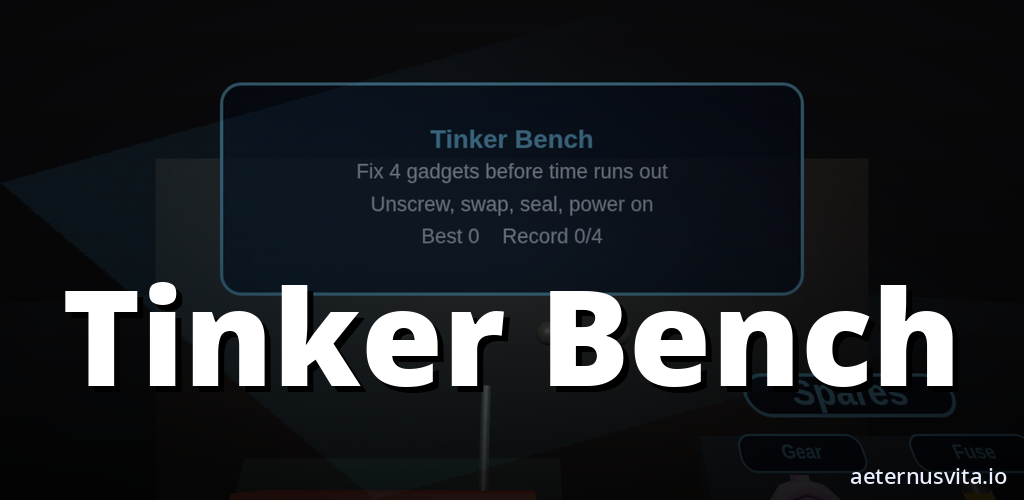
Tinker Bench is a VR workbench where you unscrew, swap parts and fix a radio, clock, toaster and robot toy.
By AeternusVita
“Tinker Bench is a VR workbench where you unscrew, swap parts and fix a radio, clock, toaster and robot toy.”
Tinker Bench is a repair bench you work with your hands in a VR headset. Four small gadgets wait on the bench. You pick one up, open it, swap a part and put it back together until it works again.
It is coming soon on aeternusvita.io. Visit Tinker Bench to get notified when it is ready. This guide explains what it is, how a repair works and who it tends to suit, using only the official brief and store copy.
What Tinker Bench is
Tinker Bench is a workbench in a VR headset. The bench stays in front of you for the whole repair, and you work with your hands.
The short description puts it simply: unscrew, swap parts and fix four small gadgets in a VR headset. That is the loop. You open a gadget, change what needs changing and fit it back together. The job is done when that gadget is fixed.
It is made by aeternusvita.io. You put on the headset, pick up a screwdriver and start with one gadget at a time.
The project is listed as coming soon. No price, release date, ratings or reviews have been set, and nothing has been submitted to a store for release.
How a repair works
A repair in Tinker Bench follows a clear sequence. You choose a gadget from the bench and take it apart. You unscrew, swap a part and fit the gadget back together. When the parts are back where they should be, a success sound marks the fix.
The parts bin holds screws, gears, batteries and boards. You swap a part and close the gadget up. Each gadget is a self-contained job, so you can focus on one repair at a time.
You stay at the bench throughout. The bench does not move away or change scene while you are working. That keeps your attention on the gadget in your hands and the tool you are using.
The four gadgets
Tinker Bench includes four gadgets: a radio, a clock, a toaster and a robot toy. Each one sits on the bench waiting for you to open it.
The brief lists the same four in every locale, and they are the only gadgets named. A radio with a case and board, a clock with gears, a toaster with a simple mechanism, and a robot toy with parts to seat and secure.
You work through them one by one. Pick up the radio, open it, swap what it needs and close it. Then move to the next. The task for each gadget is the same kind of work — open, swap, close — applied to a different shape.
The Chrome Web Store edition copy adds a time element for that version: fix all four before time runs out, then try to beat your record. That detail is specific to the Chrome tab version. The VR workbench description does not set a timer.
Tools and parts
The tools are a screwdriver, pliers and a soldering iron. Those three are the only tools named in the brief, and they cover the jobs the gadgets ask for.
The screwdriver handles the screws. Pliers help with parts that need a grip and a pull. The soldering iron is there for boards and connections. You pick up the tool that fits the step in front of you.
The parts bin holds screws, gears, batteries and boards. You unscrew the faulty part, choose a spare from the bin and fit it in place. The copy also mentions a fuse and other spares in the Chrome tab version — "swap in the right spare (fuse, gear and more)" — which is the same idea: find the matching spare and seat it properly. When the replacement is seated and the case is closed, the gadget powers on.
Sound and setting
Each step has a sound. A screw turns, a part clicks, a buzz sounds and a success sound marks the fix. A workshop music loop plays while you work.
Those sounds do practical work. The screw sound tells you the driver is engaged. The click tells you a part has seated. The buzz gives feedback on a step that needs attention. The success sound confirms the gadget is fixed so you can set it down and choose another.
The bench stays in front of you for the whole repair, so your hands, tools and parts remain in a consistent place. The workshop loop sits behind the task sounds. It sets a calm pace without calling for attention.
The Chrome tab version
There is also a Chrome Web Store edition of Tinker Bench. The brief describes it as a small repair game that runs offline in its own Chrome tab.
In that edition, a row of gadgets waits on your workbench. You unscrew each one, swap in the right spare, seal it and power it on. Fix all four before time runs out, then try to beat your record. Your record stays in local browser storage.
Controls for the Chrome tab version are drag to look, click or press Space to pick up and use parts. The brief notes privacy for this edition as well: no accounts, ads or analytics. It is listed in the store queue as CWS #12, with nothing submitted yet. The web build passed a desktop smoke test.
If you use a headset for the main VR workbench, that is the version described at the top of this guide. If you use Chrome, the tab edition offers the same four gadgets and the same bench task with mouse and keyboard controls.
Who it suits
Tinker Bench suits people who like hands-on, step-by-step tasks with a clear result.
If you enjoy taking things apart and putting them back together, the draw is the sequence. Unscrew, check the part, swap it and close the case. Each gadget asks for the same careful steps, so you can settle into a steady rhythm.
If you like short, contained puzzles, the four gadgets help. Each one is a separate repair with a clear start and finish. Fix one and stop, or carry on through the set. The success sound marks the end of each job.
If you are new to VR, the setup is simple. One bench, four gadgets, three tools and a parts bin in a fixed place. There are no extra systems to learn while you are repairing.
For younger players, approach it together. An adult can handle the headset, keep the play area clear and guide the steps. Allow room to move your hands at the bench. If anything feels uncomfortable in the headset, take a break. The brief does not set a minimum play area or age rating.
How to follow it and what coming soon means
Tinker Bench is listed as coming soon on aeternusvita.io. That is the only availability status the brief gives. There is no price, release date, pre-order, ratings or reviews yet.
To keep up, head to Tinker Bench and use the notify option on the product page. That is the simplest way to hear when the listing is live.
Quick recap
- What it is: a repair bench you work with your hands in a VR headset, made by aeternusvita.io.
- What you do: pick up a gadget, unscrew it, swap a part from the bin and fit it back together until the success sound marks the fix.
- What you fix: a radio, a clock, a toaster and a robot toy — the four gadgets named in the brief.
- Tools and parts: screwdriver, pliers and soldering iron; screws, gears, batteries and boards (with fuses and other spares in the Chrome tab edition).
- How it sounds: a screw turn, a click, a buzz, a success sound, and a workshop loop while you work. The bench stays in front of you throughout.
- Chrome tab edition: runs offline in its own tab, same four gadgets, fix all four before time runs out and beat your record — drag to look, click or Space to use parts, record kept in local storage, no accounts, ads or analytics.
- Where to watch: Tinker Bench on aeternusvita.io — coming soon, with a notify option for when it goes live.
Related articles
2026-10-25 · 6 min read
Afterburn: How an Arcade Fitness Session Works in a VR Room
How Afterburn works — an arcade fitness session in VR where you repeat one action in one room to a score.
Read article →2026-10-25 · 6 min read
AfterShift: How an Active Fitness Session Works in One VR Room
How AfterShift works — an active fitness session in VR where you practise one movement in one room to a score.
Read article →2026-10-25 · 7 min read
Arcade Defender: How a Stationary VR Arena Defence Works Across Ten Waves
How Arcade Defender works — hold one spot in VR, swap four gadgets across ten waves to a boss.
Read article →